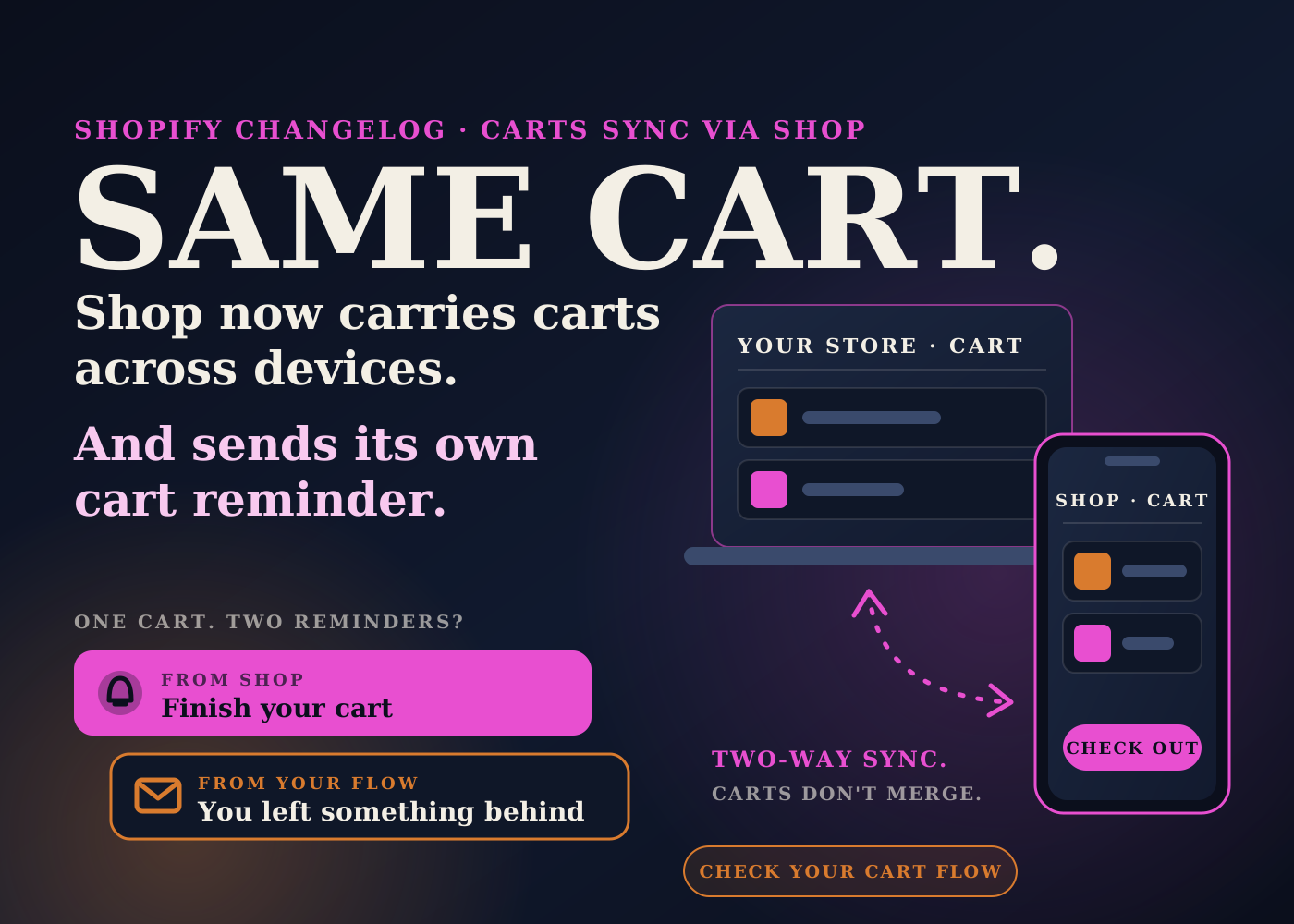
Shopify published a changelog entry on October 5 about Shop. It says Shop can now verify who a shopper is while they are browsing your store, before they buy anything.
For shoppers with a Shop account, that means a cart that follows them from phone to laptop, one-tap sign-in, and a Shop Pay button that is already filled in.
It also means Shop now reminds people about carts they left behind. That last part is the one I'd look at as an operator, because most stores already have something doing that job.
Table of contents
What Shopify announced
The changelog lists six benefits for Shop users.
Checkout loads faster. Carts sync and stay up to date across a shopper's devices. The Shop Pay button is personalized to show the card the shopper last used.
Shop users get one-tap sign-in to their customer accounts. Carts started in the Shop app carry over to your storefront, and the other way round.
And there is what Shopify calls built-in recovery: Shop reminds shoppers to finish carts they left behind.
The entry also says browsing activity syncs to a shopper's Shop account, so Shop can resurface items they viewed as well as abandoned carts. It ends with one line: now supported on all browsers.
The changelog does not mention any action required from merchants.
How cart sync works, and where it stops
The Help Center page on the Shop customer experience has the detail. I'd read it before assuming every cart now follows every shopper.
Who it applies to
Only customers with a Shop account. Shopify says sync is activated by default for all Shop users and is not available for customers without an account.
The customer also has to be recognized by Shop or signed in on your store. Shopify says a customer can be recognized across browser sessions because they signed in with Shop during another session, even if they have not signed in on your store.
When carts sync
The Help Center gives two cases. The customer has signed in to your online store with Shop, or the customer is signed in with the same email address they use for their Shop account.
If a customer has a cart in the Shop app and a cart on your store but meets neither condition, the carts won't sync.
When it does work, it works in both directions, and it carries the cart between devices on your online store. Shopify's example is a customer who adds items on their phone and continues with the same cart on their computer.
The limits
Cart sync doesn't combine carts. If a customer already has a cart where they are shopping, that cart isn't replaced, and only one cart syncs.
If a Shop app cart contains a product that is exclusive to Shop, the cart still syncs to your store, but the customer can't buy that product there.
Shopify also says cart sync can be limited by region. The page I read does not list which regions.
Built-in recovery and your own cart flow
This is my read, not something Shopify says.
If you run an abandoned cart flow, whether in Shopify or in a tool like Klaviyo, a shopper with a Shop account may now hear about the same cart from two places. Once from Shop, once from you.
Neither page I read says how Shop sends its reminder, when it sends it, or how many times. It also does not describe a setting for merchants to change it. So I can't tell you the two will collide. I can tell you it is worth finding out on your own store.
The simple test is to be the customer. Sign in with a Shop account, add something to the cart, leave, and write down what arrives and when.
If your own flow leads with a discount, look at that with fresh eyes. A shopper who was going to come back from Shop's reminder anyway may now get your discount on top. That is margin you chose to give away, so it should be a decision and not an accident.
I would not switch off your own flow because of this. Shop's reminder only reaches Shop users. Everyone else still depends on yours.
The bigger picture: the cart is no longer tied to one session
For a long time, a cart lived in one browser on one device. If the shopper switched devices, it was gone, and your recovery email was the only bridge back.
For Shop users, Shopify is now building that bridge itself. That is good for conversion. It also changes a few things behind the scenes.
Carts may live longer. A cart that follows someone for days can still hold an item that has since sold out. That is one more reason to keep stock honest, which I covered in the fulfillment mistakes that quietly kill repeat purchases.
Recovery numbers may shift. If some carts are now recovered by Shop before your email goes out, your flow's recovered revenue could drop without anything being broken. I'd note the date so nobody panics at the next report. My approach to reading those numbers is in how I audit Klaviyo flows.
And the Shop app is one more place where your store shows up without you building anything. I wrote about a similar shift in AI agents checking out on your Shopify store. The pattern is the same: more ways in, same backend that has to hold up.
What I'd check this week
- Read the changelog entry and the Help Center section on shopping activity sync, so you know what is on by default for Shop users.
- Test it as a customer. Sign in with a Shop account, add an item on your phone, then open your store on a computer and see if the cart is there.
- Abandon that cart and record every reminder you receive: who sent it, on which channel, and how long after.
- Compare that timing with your own abandoned cart flow and decide whether the first message needs to move.
- If your flow opens with a discount, decide on purpose whether Shop users should still get it straight away.
- Write October 5, 2026 next to your abandoned cart reporting, so a change in recovered revenue has context.
- Add an item to a cart, set it to out of stock, and check what the shopper sees when they come back to that cart.
- If you sell products that are exclusive to Shop, remember they sync to the storefront cart but can't be bought there.
- If you sell in several regions, test from more than one. Shopify says cart sync can be limited by region.
- Tell your support team that a customer's cart can now appear on a device they did not use to build it.
You don't have to switch anything on for this one. The work is knowing what your customers now receive, and making sure your own messages still make sense next to it.
Source: Shopify Changelog, October 5, 2026, and Shopify Help Center, Shop app customer experience.
Frequently asked questions
What did Shopify change with Shop on October 5, 2026?
The changelog says Shop can now verify who a shopper is while they browse your store, before they purchase. For Shop users that brings faster checkout, carts synced across devices, one-tap sign-in, a pre-filled Shop Pay button, and reminders about carts they left behind.
Does cart sync work for every customer?
No. The customer must have a Shop account. Carts sync when the customer has signed in to your store with Shop, or is signed in with the same email address they use for their Shop account. Shopify also says cart sync can be limited by region.
Does cart sync merge two carts together?
No. Shopify's Help Center says cart sync doesn't combine carts. If a customer already has a cart where they are shopping, that cart isn't replaced, and only one cart syncs.
Should I turn off my own abandoned cart flow?
I wouldn't. Shop's reminder only reaches shoppers with a Shop account. The pages I read don't say how or when Shop sends it, so my advice is to test it as a customer and then adjust the timing or the discount in your own flow if the two overlap.