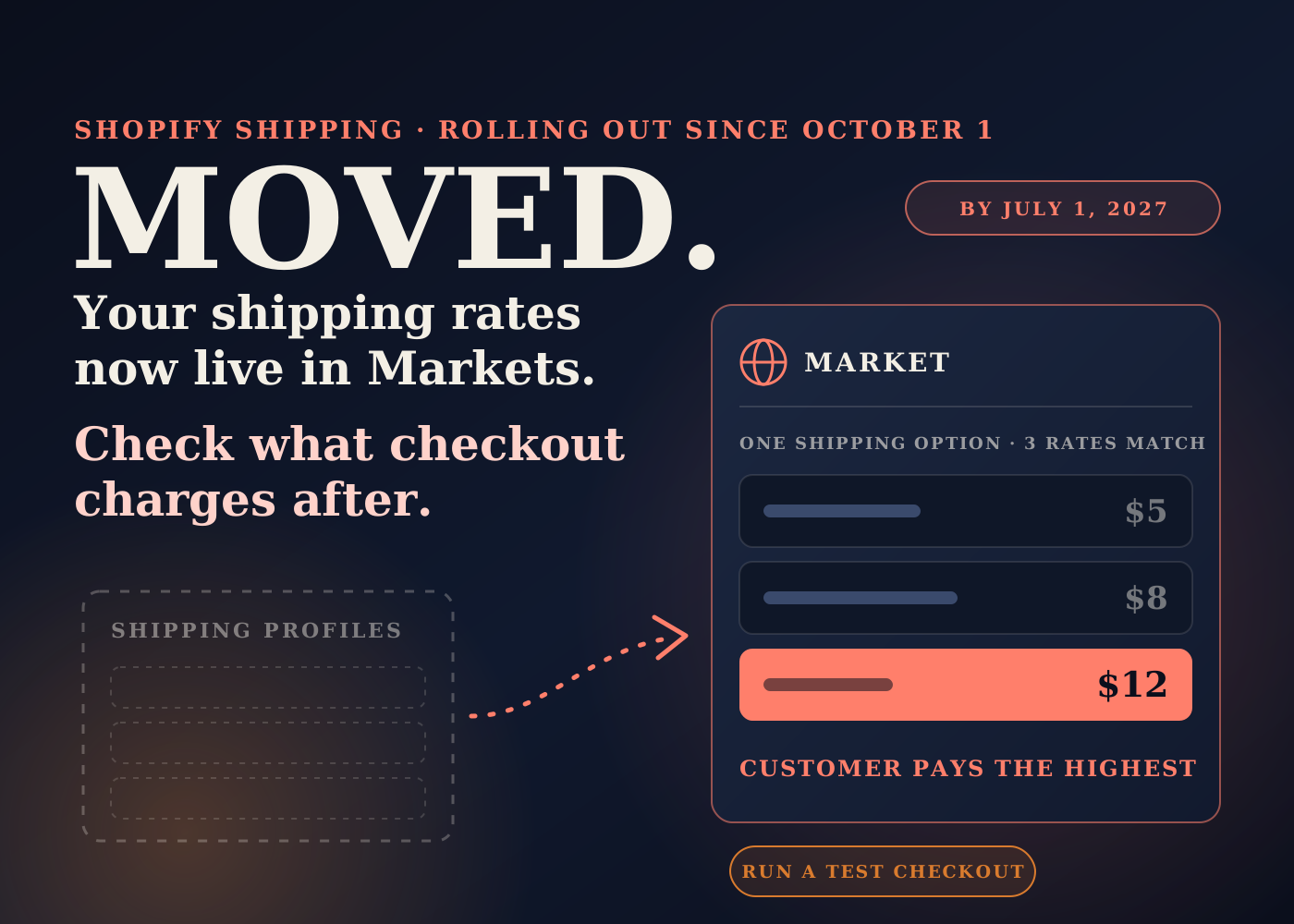
Shopify is changing where shipping rates live. They are moving out of shipping profiles and into Markets.
The rollout to merchants started on October 1. Shopify's developer changelog says every merchant will be on the new setup by July 1, 2027.
Shopify migrates your rates for you. But the way rates combine at checkout is different afterwards, so here is what Shopify has published and what I'd check on a store once it is upgraded.
Table of contents
What is actually changing
Shopify calls the new model market-driven shipping. In the Help Center it appears as "shipping options by market".
Today a store sets up shipping with shipping profiles, location groups, and shipping zones. In the new model you set up shipping options for each market you sell to.
Each rate inside an option then carries its own conditions. Product conditions decide which products the rate applies to. Location conditions decide which locations it ships from.
The Help Center says the existing setup is migrated for you, that you don't need to recreate your rates, and that most merchants don't need to take any action.
It also says the rollout is gradual, so stores are not all upgraded at the same time. If it is available for your store, you can opt in early from Settings > Shipping and delivery.
The new rule for how rates combine
This is the part I'd read twice. The Help Center describes two rules.
When a cart matches more than one rate within a shipping option, the customer is charged the price of the highest rate.
When a cart matches more than one shipping option, the customer is charged the prices of the options added together.
Shopify also says rates that share the same shipping option name are consolidated into one shipping option automatically during the upgrade.
Put those together and the name of a rate now matters. My read: two rates that were charged side by side under different names behave differently from two rates that share a name and get merged into one option.
Free shipping is handled in a similar way. Shopify says it is consolidated where possible. If it can be combined into a shipping option, it reduces that option's cost to zero. If it can't, it stays as a separate free shipping option.
None of this means your checkout will charge the wrong amount. It means the only way to know is to test the carts your customers actually build.
What else the upgrade touches
These are the other changes listed in the Help Center. Each one lands on a different part of the backend.
Split shipping gets switched on
Shopify says split shipping is activated for every upgraded store, including stores that deactivated it before the upgrade.
If an order is expected to ship from more than one location, arrive at different times, or ship with different carriers, the number of shipments is shown to the customer at checkout.
If you turned split shipping off on purpose, that is a visible checkout change worth knowing about before a customer asks.
Shipping apps may lag behind
The Help Center says some shipping apps aren't compatible yet. If an incompatible app provides rates for your store, its rates might not be displayed at checkout.
It also says stores with shipping apps might be upgraded later, after those apps become compatible. I'd still ask the app developer directly before opting in early.
Staff permissions
Shipping is now managed from Markets. Shopify's advice is to make sure the staff who manage shipping have the Markets permission.
This is an easy one to miss. The person who has always edited your rates may open the admin and find they can't.
New collections and markets appear
The upgrade can create collections with a [Shipping] prefix to hold product conditions. Shopify says they are unpublished, so customers don't see them.
If an existing shipping zone includes states or provinces from more than one country, a separate market is created for each country.
I'd tell the team these exist so nobody deletes them during a tidy-up.
The opt-out window
After the upgrade you can switch back to shipping profiles during an opt-out window. The Help Center page does not say how long that window is.
Switching back permanently removes any shipping changes made after the upgrade. Once the window closes, you can't switch back.
The bigger picture: shipping is now a Markets decision
For years shipping setup on Shopify was organised around products and warehouses. Now it starts with where the customer is.
I think that is the right way round for most DTC brands. But it means the person who owns Markets and the person who owns shipping need to be the same person, or at least talking.
The timing is the awkward part. The rollout began just as USPS holiday pricing went live, and many stores are already rechecking flat rates and free shipping thresholds for peak.
My view: do not opt in early in the weeks before Black Friday unless you have time to test properly. If the upgrade reaches you anyway, test the same day.
It is the same lesson as the fulfillment mistakes that quietly kill repeat purchases. A shipping charge that is slightly off does not throw an error. It just shows up later in margin or in support tickets.
What I'd check after the upgrade
- Before anything changes, screenshot or export your current shipping profiles, zones, and rates. You want a record of what "correct" looked like.
- Write down what five or six real carts cost to ship today: a single item, your best-selling bundle, a mixed cart across product types, and a cart just over the free shipping threshold.
- After the upgrade, run the same carts through checkout for each market and compare the totals.
- Open each market and look at which rates were consolidated into one shipping option because they shared a name.
- Check how free shipping was migrated: folded into an option, or kept as a separate option.
- Place a test order that ships from two locations and see what the customer is shown about split shipments.
- Ask every shipping or rate app you use whether it is compatible with shipping options by market.
- Give the Markets permission to the staff who manage shipping.
- Leave the [Shipping] collections and any new sub-region markets alone until you understand what they are attached to.
- Note when your opt-out window closes, and hold off on new shipping edits until you are sure you are staying.
Most stores will come through this with nothing to fix. The point of the test carts is to know that, not assume it.
Source: Shopify Help Center, "What's changing with shipping", and Shopify developer changelog, July 1, 2026.
Frequently asked questions
When does my store move to shipping options by market?
Shopify began rolling it out to merchants on October 1, 2026 and says all merchants will be on it by July 1, 2027. The rollout is gradual, and stores with shipping apps might be upgraded later, after those apps become compatible.
Do I have to rebuild my shipping rates?
No. Shopify says your shipping setup is migrated for you and most merchants don't need to take any action. It does suggest reviewing a few things afterwards, including staff permissions and how rates were consolidated.
How are rates combined at checkout in the new model?
If a cart matches more than one rate within a shipping option, the customer is charged the highest rate. If a cart matches more than one shipping option, the prices of those options are added together.
Can I go back to shipping profiles?
Yes, during an opt-out window after the upgrade. Switching back permanently removes any shipping changes you made after the upgrade, and once the window closes you can't switch back.