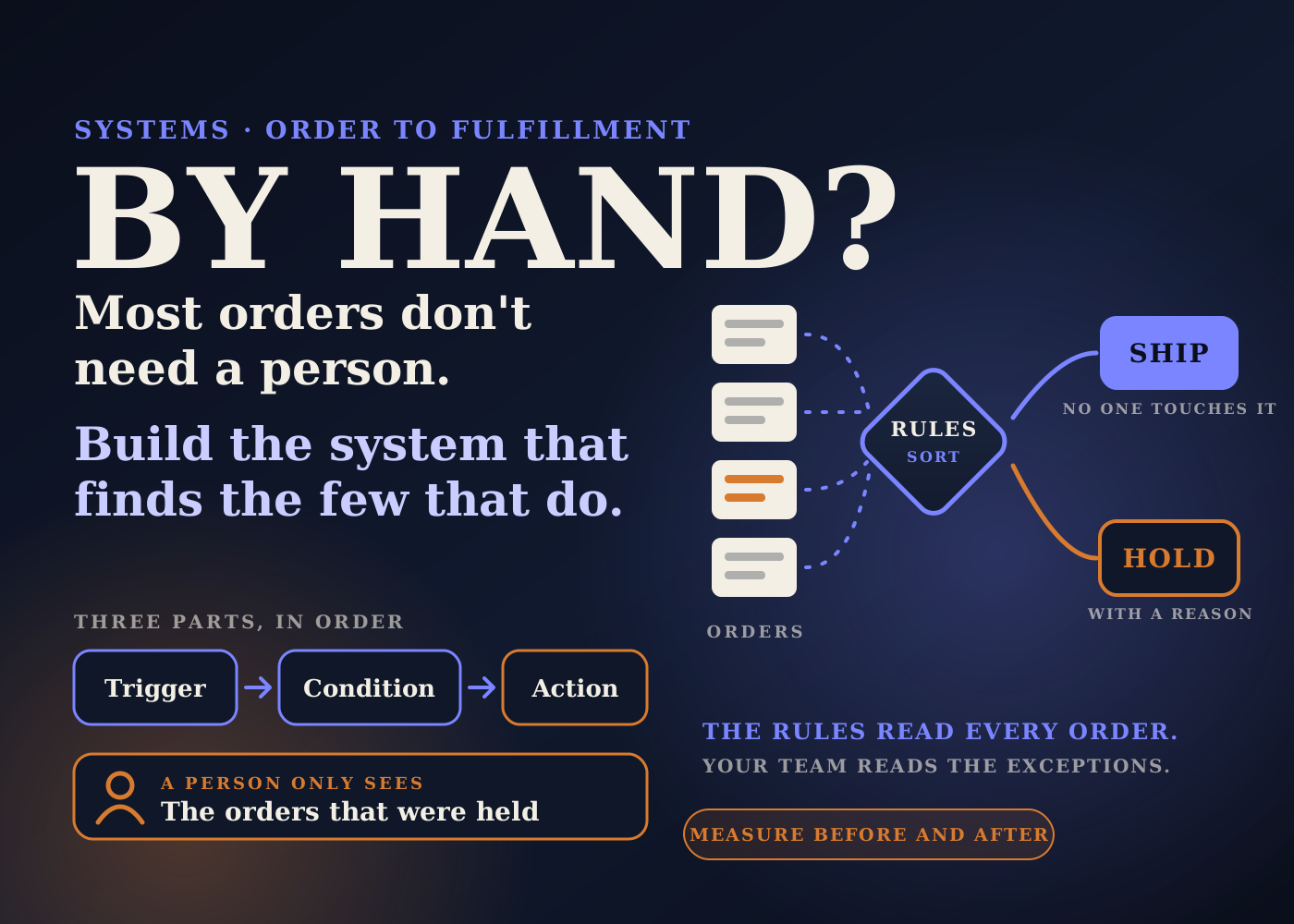
In a lot of stores, somebody opens every order before it ships. They check the address, the notes, the shipping method, anything that looks odd. Then they let it go.
Most of those orders were fine. The check existed for the few that weren't.
This post is about the system I'd build to flip that around. Rules read every order. A person only reads the ones the rules stopped. I'll cover how it is put together, what it solves, what it changes in the business, and how to measure it honestly.
Table of contents
The problem: every order gets a manual check
The manual check usually starts for a good reason. One bad address, one missed gift note, one fraud order, and someone decides to look at everything from now on.
It works while volume is low. Then it becomes the slowest step in the store.
Orders wait for a person to be online. The check gets rushed on busy days, which is exactly when mistakes cost the most. And the knowledge of what to look for sits in one person's head.
The goal is not to remove the check. It is to write it down as rules, so it runs on every order, at any hour, the same way each time.
How the system is put together
I'd build this in Shopify Flow. Shopify describes Flow as an ecommerce automation platform for automating tasks and processes within your store and across your apps.
A workflow has three parts. A trigger watches for an event. Conditions decide whether anything should happen. Actions do the work.
Shopify's Help Center says the Flow app is free on the Basic, Grow, Advanced and Plus plans, with some features varying by plan. So this is not a Plus-only build.
Part 1: the trigger
The workflow starts when an order is created. Nothing else is needed here. Every order goes through the same door.
Part 2: the conditions
This is where the manual check gets written down. I'd sit with whoever reviews orders today and list what actually makes them stop.
The list is usually short. An order note from the customer. An order value far above normal. A shipping method that needs different handling. A product that is pre-order, fragile or made to order. A destination you ship to differently.
Each of those becomes one condition. Start with the three or four that cause real problems. You can add more later.
Part 3: the actions
Flow's action list includes the ones this system needs: add order tags, hold fulfillment order, release fulfillment order holds, update order note, and send internal email.
For an order that matches a condition, I'd do three things. Tag it with the reason, such as "review-note" or "review-high-value". Hold the fulfillment order so it can't ship yet. Send an internal email to the person who owns that kind of exception.
The tag matters as much as the hold. It tells the reviewer why the order stopped, so they don't have to work it out again.
Orders that match nothing are left alone. They flow to fulfillment as normal, whether that is your own packing station or a 3PL.
Part 4: the exception queue
The last piece is not automation. It is a saved order view in the admin, filtered to the review tags, and a named owner who clears it at set times each day.
When the reviewer is satisfied, they release the hold and remove the tag. That is the whole human job.
If you want to connect outside tools, Flow has a Send HTTP request action. The Help Center says that one needs the Grow, Advanced or Plus plan.
What it solves
This part is my read as an operator, not something from Shopify's documentation.
The waiting. Clean orders no longer sit until someone has time to look at them. They move as soon as they are placed.
The inconsistency. A rule checks the ten-thousandth order the same way it checked the first. A tired person on a peak day does not.
The single point of failure. The checks are written in a workflow anyone on the team can open and read. They no longer leave when one person takes a holiday.
The late catch. A problem is stopped before the label is printed, not found after the parcel has left. That is the cheapest place to fix it.
The effect on the business, and how to measure it
I'm not going to quote numbers here. The result depends on your volume, your products and how much manual checking you do today, and I won't invent a figure.
What I can tell you is where the effect shows up, and what to record so you can see it on your own store.
Time from order to fulfillment. This is the first number I'd expect to move, because clean orders stop waiting. Record it for a few weeks before you switch the workflow on.
Orders touched by a person. Count how many orders carry a review tag each week, against total orders. That share is your real manual workload.
Reships and address corrections. If the conditions are the right ones, fewer of these should happen after dispatch.
"Where is my order" tickets. Faster, more predictable dispatch tends to mean fewer of them. Track the count, not a feeling.
Hours. Ask the person who did the checking how long it took each day before, and how long the exception queue takes after. That time usually goes back into work that was being put off.
If a number doesn't move, that is useful too. It usually means a condition is too loose, too strict, or aimed at the wrong problem.
The bigger picture: a system is a decision written down
The automation is the easy part. The hard part is agreeing what should stop an order, and who owns it when it does.
That is why I start with the list of conditions and the owner, not the tool. A workflow built on a vague rule just produces vague holds faster.
It also connects to the rest of the backend. Held orders with clear reasons are easier for support to explain. I covered what happens when that link is missing in the fulfillment mistakes that quietly kill repeat purchases.
And it gets more important as more channels feed the same order list, which I wrote about in the backend work nobody budgets for when adding TikTok Shop or Amazon.
This is the kind of work I mean when I talk about where automation actually helps, as opposed to the pitch. More on that in where AI actually helps run a Shopify backend.
Build checklist
- Write down every reason an order gets stopped or changed by hand today. Ask the person who does it.
- Pick the three or four reasons that cause the most trouble. Start with those only.
- Record your baseline: time from order to fulfillment, reships, address corrections, and order-status tickets for the last few weeks.
- Open Shopify Flow and create a workflow that starts when an order is created.
- Add one condition per reason, each with its own tag so the reviewer knows why the order stopped.
- For matching orders, add the tag, hold the fulfillment order, and send an internal email to the owner.
- Create a saved order view filtered to the review tags. That is the exception queue.
- Name one owner for the queue and agree the times of day it gets cleared.
- Test with real-looking test orders, one per condition, plus one clean order that should pass straight through.
- If you use a 3PL or fulfillment app, confirm with a test order that a held order really does not reach them until it is released.
- Review after two weeks. Compare against the baseline, and loosen or tighten any condition that holds too much or too little.
The aim is simple. Your team should spend its attention on the orders that need it, and none on the ones that don't.
Source: Shopify Help Center, Shopify Flow, and Shopify Help Center, Flow actions reference. The system design and the expected effects are my own operator view.
Frequently asked questions
Do I need Shopify Plus to build this?
No. Shopify's Help Center says the Flow app is free on the Basic, Grow, Advanced and Plus plans, with some features varying by plan. The Send HTTP request action needs Grow, Advanced or Plus.
What are the parts of the system?
A trigger when an order is created, a short set of conditions that describe what should stop an order, actions that tag it, hold the fulfillment order and email the owner, and a saved order view that works as the exception queue.
What results should I expect?
I don't quote a figure because it depends on your store. The places I'd expect to see an effect are time from order to fulfillment, the share of orders a person touches, reships and address corrections, and order-status tickets. Record a baseline first.
Does this remove the human check completely?
No. It moves the check to the orders that match a condition. A named owner still reviews those, releases the hold and removes the tag.